

Introduction
American couples use wedding websites to collect RSVPs, share logistics and keep guests updated in one place instead of juggling endless messages.
A good wedding website does one job well: it answers guest questions before they turn into texts.
American couples are using a wedding website as the one place guests can check for dates, addresses, dress code, RSVP instructions and day-of updates. The best version is not fancy. It is clear, current and easy to share.
The real win is fewer repeated conversations. Instead of answering the same travel, parking and timing questions by text, you give guests one link and let the website do the heavy lifting.
What should your wedding website actually replace?
Your wedding website should replace scattered information, not your judgement.
Use it for the details guests ask about most: ceremony time, reception time, venue address, parking notes, hotel blocks if you arranged them, dress code, plus how each event works. For American couples with more than one celebration, this matters even more because guests may only be invited to some events.
It should also replace the messy parts of RSVP collection. A good wedding website lets guests respond online, helps you track who has replied and reduces the chance of missing a meal choice, plus-one or family group.
Why a wedding website is more useful than group texts
A wedding website is better than group texts because it keeps one clean source of truth.
Texts are easy to miss, easy to forward incorrectly and hard to search later. A website gives you a single place to update when the ceremony time changes, the shuttle schedule shifts or the weekend itinerary grows.
That is especially useful for couples juggling separate guest groups. Family, college friends, work friends and out-of-town guests often need slightly different information. A website can hold the full picture without you sending five versions of the same message.
The decisions couples should make before building one
The best wedding website starts with a few decisions, not a design choice.
First, decide what guests truly need. Most couples only need the essentials: who, what, when, where and how to respond. Anything else should earn its place.
Second, decide how much detail you want to show publicly. If your guest list is mixed, think carefully about what belongs on the main page and what belongs in private event notes. A little restraint keeps the site cleaner and reduces confusion.
Third, decide who will update it. One person should own changes so the wedding-planning stays consistent. If both partners update it without a rule, mistakes creep in fast.
What information belongs on the site and what can stay off it
A wedding website works best when it answers real guest questions, not every possible one.
| Put on the website | Keep off unless guests need it |
|---|---|
| Ceremony and reception dates | Private planning notes |
| Venue names and maps | Vendor back-end details |
| RSVP form and deadline | Internal budget details |
| Dress code | Family disagreements |
| Travel or hotel guidance | Sensitive relationship history |
| Multi-event schedule | Anything guests do not need to attend |
If you are planning a multi-day wedding, this distinction matters even more. Guests do not need your entire timeline, but they do need to know which events they are invited to, where each one happens and what time to arrive.
How couples use wedding websites for multi-event weddings
Wedding websites are especially practical for South Asian, Muslim, fusion and destination celebrations because those weddings often have more moving parts.
A couple may need separate pages or sections for mehndi, sangeet, haldi, nikah, walima, ceremony and reception. Guests need to know which events are open to everyone and which are invitation-only. They also need the kind of detail that reduces last-minute calls: arrival windows, parking instructions and whether outfits should be formal, festive or traditional.
This is where a website does more than look nice. It prevents the classic planning problem where one guest sees only one card, one text or one forwarded message and misses the rest.
If that sounds like your situation, a multi-event wedding website can keep the schedule, venues and RSVPs together in one shareable link. DreamWedds is built for that style of planning and supports multi-event weddings, including South Asian and Muslim celebrations.
A simple timeline that actually works
Build the website early, but do not wait for every detail to be final.
Start with the basics as soon as the venue and date are set. Add the RSVP form once your guest list is mostly stable. Then update the site again when travel, parking or ceremony timing changes.
A practical rhythm looks like this:
- 8 to 12 months out: publish the core site with date, location and the first event details.
- 4 to 6 months out: add RSVP tracking and any travel notes.
- 6 to 8 weeks out: post final timing, dress code and schedule updates.
- 1 to 2 weeks out: send reminder messages and check that all event information matches the live plan.
That last step is where many couples slip. They treat the website like a one-time project instead of a living planning tool.
Worked example: 120 guests across three events
Say you have 120 guests across three events: a Friday welcome dinner, a Saturday ceremony and reception, and a Sunday brunch.
A strong website would do three things well. First, it would show each event separately so guests do not confuse times or locations. Second, it would let you collect RSVPs for each event, since not everyone attends all three. Third, it would give guests one place to check maps, attire guidance and travel notes without texting you for every small change.
The trade-off is that you need to keep it updated. If the brunch venue changes or the ceremony start time moves, the website has to be the first place you fix it.
What couples get wrong most often
The biggest mistake is overloading the site with content that sounds helpful but confuses guests.
A second common mistake is making the RSVP process too complicated. If guests need to guess which event they are answering for, you will spend more time untangling responses later.
A third mistake is relying on the website for communication without sending reminders. Guests do not check wedding sites every day, so the site should support your messages, not replace them.
A fourth mistake is forgetting mobile use. Most guests will open your site on a phone, often while standing in line or on the way to the venue. If the key details are hard to find on mobile, the website is failing its main job.
What to look for in a wedding website builder
Choose the builder that makes guest communication easier, not the one with the most bells and whistles.
You want a simple shareable link, online RSVPs, a guest list you can manage and a way to send reminder messages. For couples planning in the US, UK and India, multi-event support matters because weddings often involve more than one celebration.
If you want to compare options before deciding, DreamWedds has a straightforward comparison page that can help you think through features against other well-known platforms.
Next steps for couples who want less planning chaos
Start by listing the questions your guests keep asking. Those questions should become the structure of your wedding website.
Then build the site around the events, not around the design. Add RSVP collection once your guest list is ready, and use reminder messages only for the details guests truly need to act on.
If you are planning a multi-event celebration and want one link for event details, RSVPs and guest updates, a wedding website built for that format will save you the most time.
Frequently asked questions
Do I still need printed invitations if I have a wedding website?
Yes, if you want to send formal paper invitations or if some guests are not comfortable online. The website can support the invitation, not replace every communication method. For many couples, the best setup is paper for the announcement and website for the living details.
How much detail is too much on a wedding website?
If a detail does not help a guest arrive, dress appropriately or RSVP correctly, it may be too much. Keep the site useful, not crowded. Guests appreciate clarity far more than a long story about planning decisions.
Should I make the website public or password protected?
That depends on your guest list and privacy comfort level. A public site is easier to access, while a password can help control who sees event details. For mixed guest lists or multi-event weddings, some couples prefer a little extra privacy.
Can one wedding website handle different events for different guest groups?
Yes, that is one of the main reasons couples use them. Separate event details help when not everyone is invited to every celebration. This is especially practical for South Asian, Muslim and fusion weddings, where the schedule can be more layered than a single ceremony and reception.
Sources
- https://www.dreamwedds.com/free-wedding-website
- https://www.dreamwedds.com/compare/joy-zola-the-knot
- https://www.dreamwedds.com/multi-day-wedding-website
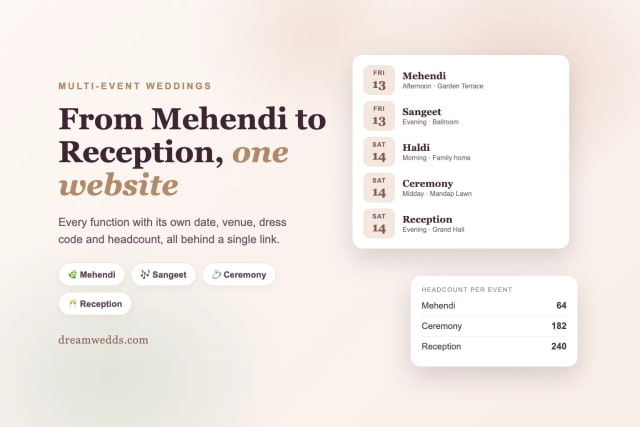
From Mehendi to Reception: Building a Multi-Event Indian Wedding Website With DreamWedds
18 NOV 2026
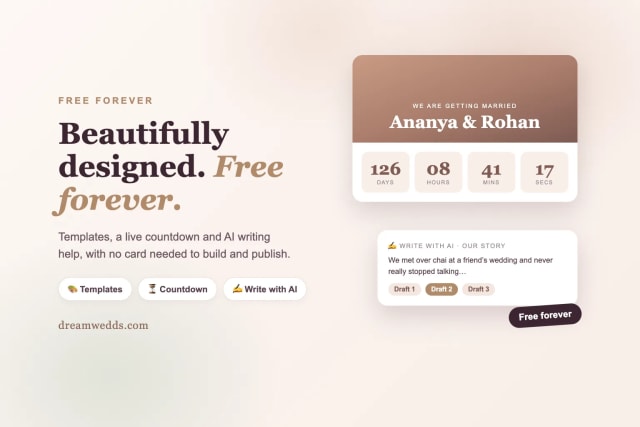
Free Forever, Beautifully Designed: A Look Inside DreamWedds' Templates, Countdown and AI Writing Help
18 NOV 2026
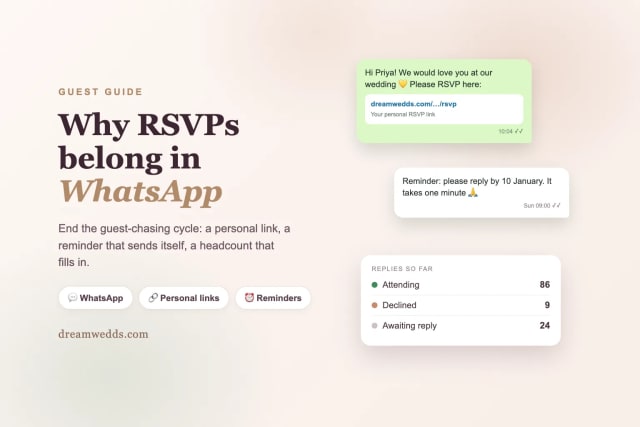
Why Wedding RSVPs Belong in WhatsApp: How DreamWedds Ends the Guest-Chasing Cycle
18 NOV 2026
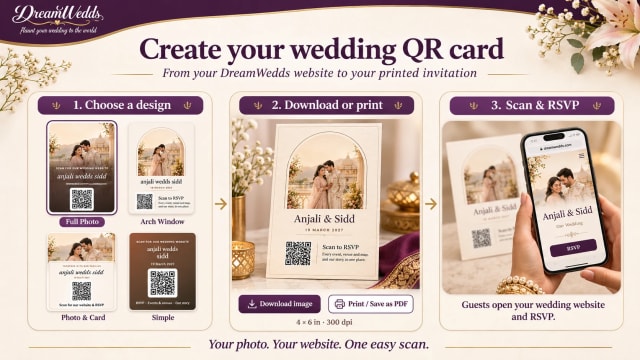
How to Put a QR Code on Your Wedding Invitation (and Make Sure It Scans)
14 NOV 2026
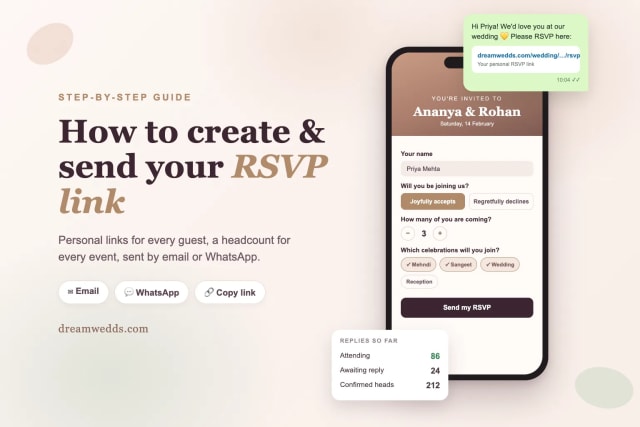
How to Create and Send an RSVP Link for Your Wedding (Step-by-Step)
8 NOV 2026
Tuscany vs Santorini vs Amalfi Coast for a wedding
18 JUN 2026

How Much Does a Destination Wedding in Europe Cost?
18 JUN 2026
Top 20 Wedding Destinations in Europe for a Fairytale Wedding
18 JUN 2026

Wedding Checklist for US Couples: What to Do and When
18 JUN 2026

How Wedding Websites Simplify Planning for U.S. Couples
18 JUN 2026
From Mehendi to Reception: Building a Multi-Event Indian Wedding Website With DreamWedds
18 NOV 2026
Free Forever, Beautifully Designed: A Look Inside DreamWedds' Templates, Countdown and AI Writing Help
18 NOV 2026
Why Wedding RSVPs Belong in WhatsApp: How DreamWedds Ends the Guest-Chasing Cycle
18 NOV 2026
How to Put a QR Code on Your Wedding Invitation (and Make Sure It Scans)
14 NOV 2026
How to Create and Send an RSVP Link for Your Wedding (Step-by-Step)
8 NOV 2026
Tuscany vs Santorini vs Amalfi Coast for a wedding
18 JUN 2026
How Much Does a Destination Wedding in Europe Cost?
18 JUN 2026
Top 20 Wedding Destinations in Europe for a Fairytale Wedding
18 JUN 2026
Wedding Checklist for US Couples: What to Do and When
18 JUN 2026
How Wedding Websites Simplify Planning for U.S. Couples
18 JUN 2026
