
Introduction
What a good wedding RSVP website does: personal links, per-event headcounts, meal choices and reminders by email or WhatsApp. Set one up free.
Ask only what you will use. Every extra question costs you replies.
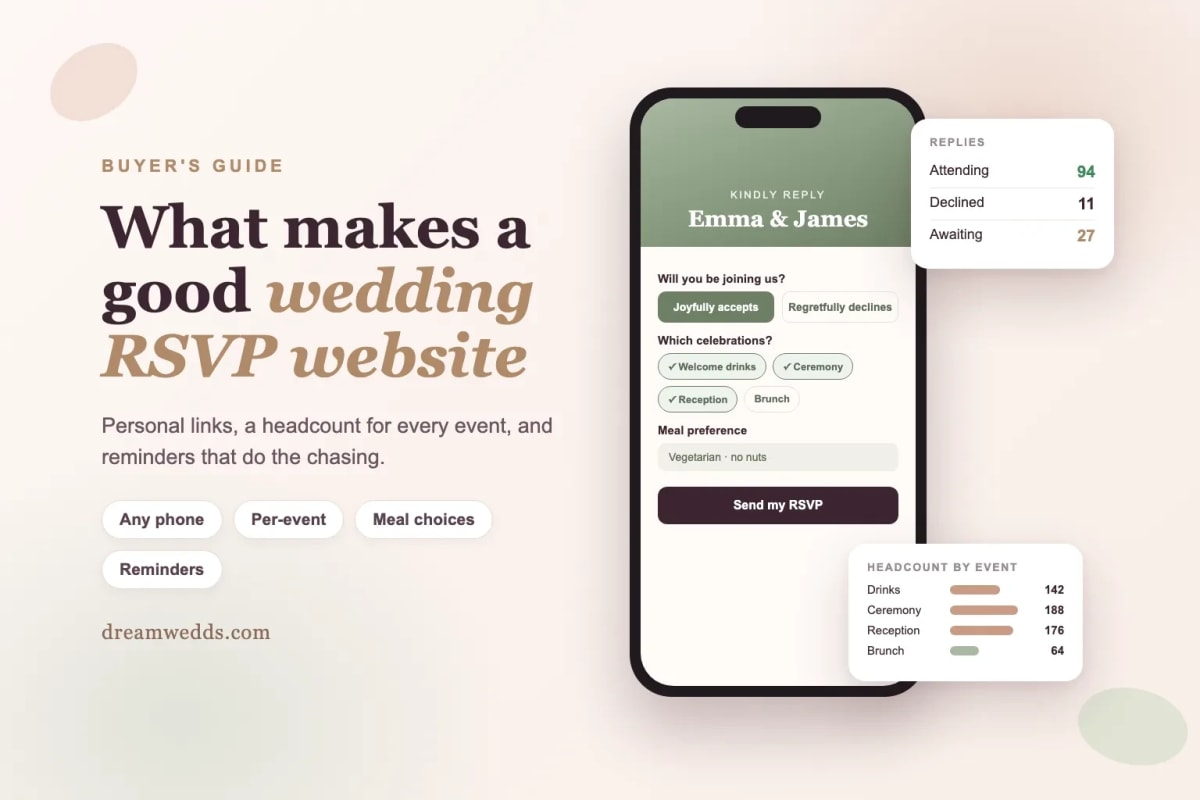
A wedding RSVP website lets guests reply from their phone, in one go, with everything you need: whether they're coming, how many of them, which events, and what they eat. The best ones give each guest a personal link, count heads per event, and send reminders so you don't have to chase. Here's what to look for, what to ask guests, and how to set one up for free.
By DreamWedds Editorial Team · Updated
Paper reply cards come back late, half filled in, or not at all. Group-chat RSVPs turn into a scroll of emojis with no headcount. An RSVP website fixes both: every reply lands in one list, totals update as they arrive, and you can see at a glance who hasn't answered.
This guide is about choosing and planning an RSVP website. If you already use DreamWedds and want click-by-click steps, see how to create and send an RSVP link.
RSVP website, RSVP link or WhatsApp: what's the difference?
| Method | How guests reply | Good for | Watch out for |
|---|---|---|---|
| RSVP page on a wedding website | A form on your site | Guests who also need timings, venues and travel details | Anyone can open a public page, so you need a way to match replies to guests |
| Personal RSVP link | A link made for each guest, sent by email, text or WhatsApp | Knowing exactly who replied; name already filled in | Links are personal, so don't post one in a group chat |
| Form tools (Google Forms and similar) | A general form | Very small or casual weddings | No guest list, no per-event totals, no reminders |
| Replies by message | Guests text or WhatsApp you | A handful of close family | You type every answer into a spreadsheet yourself |
Most couples get the best results combining the first two: a website with all the details, and a personal RSVP link for each guest that opens it.
Features worth having
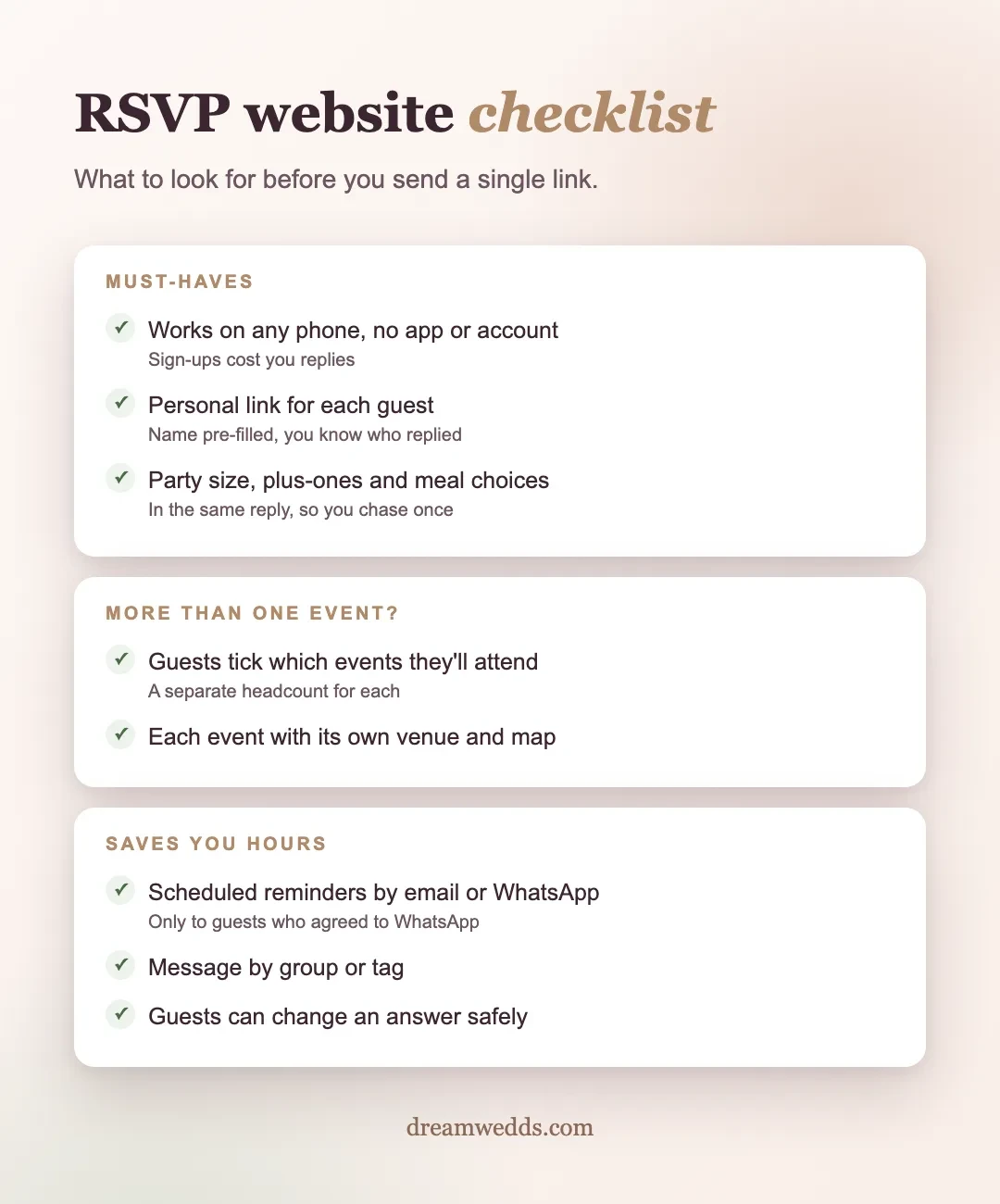
Must-haves
- Works on any phone with no app or account. If guests have to sign up, many won't reply.
- A guest list that you can import from a spreadsheet, with each reply attached to the right guest.
- Party size and plus-ones, so you count people, not invitations.
- Meal preferences in the same reply: vegetarian, vegan, Jain, halal, allergies.
- A clear status for each guest: not invited yet, invited, replied.
Important if you have more than one event
- Per-event replies. Guests tick which events they'll attend (mehndi, ceremony, reception) and you get a separate headcount for each. Caterers and venues ask for exactly this.
- Each event with its own venue, time and map, so guests know where to go for which one.
Saves you hours
- Reminders to guests who haven't replied, ideally scheduled, by email or WhatsApp.
- Messaging by group: send to everyone, one family, or guests with a tag such as "office friends".
- Changing an answer safely. Guests' plans change. A good system lets them update a reply without creating a duplicate.
- Travel questions such as where guests are coming from and when they arrive, useful for destination and multi-day weddings.
What to ask guests (and what not to)
Every extra question lowers the number of people who finish the form. Ask only what you'll use:
- Are you coming? (Yes / No)
- How many of you?
- Which events? (only if you have more than one)
- Any meal preferences or allergies?
- An optional note to the couple
Skip song requests, full addresses and "how do you know the couple" unless you have a specific plan for the answers.
How to set up an RSVP website in an afternoon
- Create your wedding website and add every event with its date, time and venue.
- Publish it so the links work before you send them.
- Import your guest list, with phone numbers (including country codes) and email addresses.
- Send each guest their personal link by email, WhatsApp, or by copying it into your own message.
- Watch replies arrive and schedule a reminder about a week before your reply-by date.
Need the words for your message? Our free RSVP wording generator writes the invitation line, a WhatsApp message and two reminders in your choice of tone.
When to open RSVPs and set the deadline
Send invitations, and with them RSVP links, around six to eight weeks before the wedding, or earlier for destination weddings. Set the reply-by date from your caterer's and venue's final-numbers deadline, usually three to four weeks before the first event. More detail is in when to send wedding website RSVP links.
Why WhatsApp matters for RSVPs
For many families in India, and South Asian families in the UK and US, WhatsApp is the app people actually read. An RSVP link sent there gets opened; an email may sit unread. Any service that sends WhatsApp messages for you should only message guests who have agreed to receive them. We explain the case in why wedding RSVPs belong in WhatsApp.
Frequently asked questions
Is there a free wedding RSVP website?
Yes. Several services let you publish a wedding website with online RSVP for free. On DreamWedds, selected templates are free forever and include online RSVP and a guest list. Sending WhatsApp messages from DreamWedds uses message credits; email doesn't.
Do guests need an account to RSVP?
They shouldn't. A good RSVP website opens in any phone browser. With personal links, the guest's name is already filled in.
Can guests RSVP for some events and not others?
On services built for multi-event weddings, yes. Guests tick each event they'll attend and you get a separate headcount for each one.
How do I stop people who weren't invited from replying?
Use personal RSVP links rather than one public form. Each link is tied to one guest, so you know exactly who replied.
Can I still use paper invitations?
Yes. Print your invitations and add a QR code that opens your RSVP page. Our free QR code generator makes one you can print.
Start collecting replies
Create a free wedding website with online RSVP, add your events and guests, and send personal links today. See how RSVPs and WhatsApp reminders work together.
Wedding RSVP Website: What It Should Do and How to Set One Up
20 NOV 2026
Wedding RSVP Etiquette and Wording: How to Set a Reply-By Date
20 NOV 2026
Wedding Hashtag Ideas: 100+ Examples and a Free Generator
20 NOV 2026
Wedding Invitation Wording: 25 Examples for Every Style
20 NOV 2026
Do You Need a Wedding Website? A Balanced Guide
20 NOV 2026
Digital Wedding Invitations: Types, Etiquette and When to Send
20 NOV 2026
Best Free Wedding Website Builders: What’s Actually Free?
20 NOV 2026

When Should I Send Wedding Website and RSVP Links? A Practical Timeline
19 NOV 2026

What Should I Put on a Wedding Website? A Section-by-Section Guide and Checklist
19 NOV 2026
From Mehendi to Reception: Building a Multi-Event Indian Wedding Website With DreamWedds
18 NOV 2026
Wedding RSVP Website: What It Should Do and How to Set One Up
20 NOV 2026
Wedding RSVP Etiquette and Wording: How to Set a Reply-By Date
20 NOV 2026
Wedding Hashtag Ideas: 100+ Examples and a Free Generator
20 NOV 2026
Wedding Invitation Wording: 25 Examples for Every Style
20 NOV 2026
Do You Need a Wedding Website? A Balanced Guide
20 NOV 2026
Digital Wedding Invitations: Types, Etiquette and When to Send
20 NOV 2026
Best Free Wedding Website Builders: What’s Actually Free?
20 NOV 2026
When Should I Send Wedding Website and RSVP Links? A Practical Timeline
19 NOV 2026
What Should I Put on a Wedding Website? A Section-by-Section Guide and Checklist
19 NOV 2026
From Mehendi to Reception: Building a Multi-Event Indian Wedding Website With DreamWedds
18 NOV 2026
